
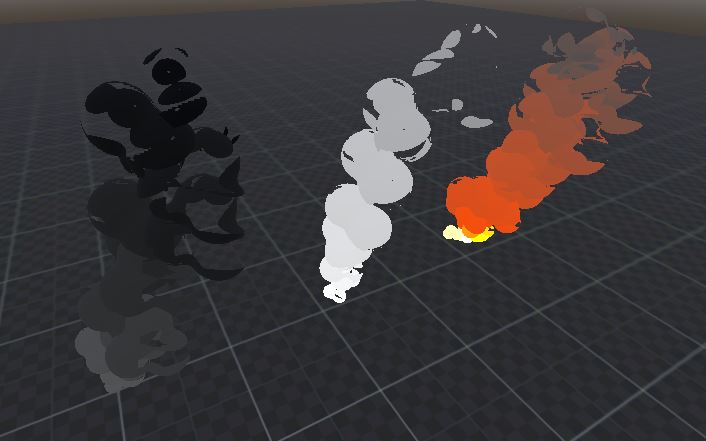
Stylized Smoke Shader
how to use :
add the mesh to your particles
set the vars as you please
to get the mesh and a ready scene for you to test here is the Github link:
https://github.com/Loop-Box/Stylized-Smoke-For-Godot4.5.git
The shader is used as “material_override”
if you want your smoke to have shadow just:
comment the light function , so from this :
void light(){
}
to this
//void light(){
//}
Shader code
shader_type spatial;
render_mode depth_prepass_alpha;

uniform vec4 Color:source_color;
uniform sampler2D Color_Gradiant:source_color;
uniform sampler2D Vor_Noise:source_color;
uniform sampler2D Alpha_Curve:source_color;

uniform float Fernal_Power;
uniform float Vor_Scale = 3.0;
uniform float Vor_Speed = 1.0;
uniform float Emmision_Power = 1.0;
uniform float Alpha_Clip:hint_range(0.0, 1.0, 0.02) = 1.0;

void fragment() {
	vec2 Move_UV = fract(UV + TIME * Vor_Speed);
	vec4 Sample_Vor_Noise = texture(Vor_Noise,Move_UV * Vor_Scale);
	vec4 Gradiant_Color = texture(Color_Gradiant,vec2(COLOR.a,COLOR.a));


	ALBEDO = Color.rgb * Gradiant_Color.rgb;
	ALPHA_SCISSOR_THRESHOLD = COLOR.a;
	ALPHA = texture(Alpha_Curve,vec2(Sample_Vor_Noise.r,0.0)).r * clamp(Color.a,0.01,0.99);
	EMISSION = Emmision_Power * Color.rgb * Gradiant_Color.rgb;
}

void light(){

}
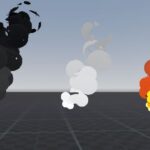
Live Preview

this looks great, thank you!
No matter the settings it’s completely invisible for me. “Fernal power” and “Alpha Clip” are also declared but never used.
Completely nonfunctionalI was mistaken