
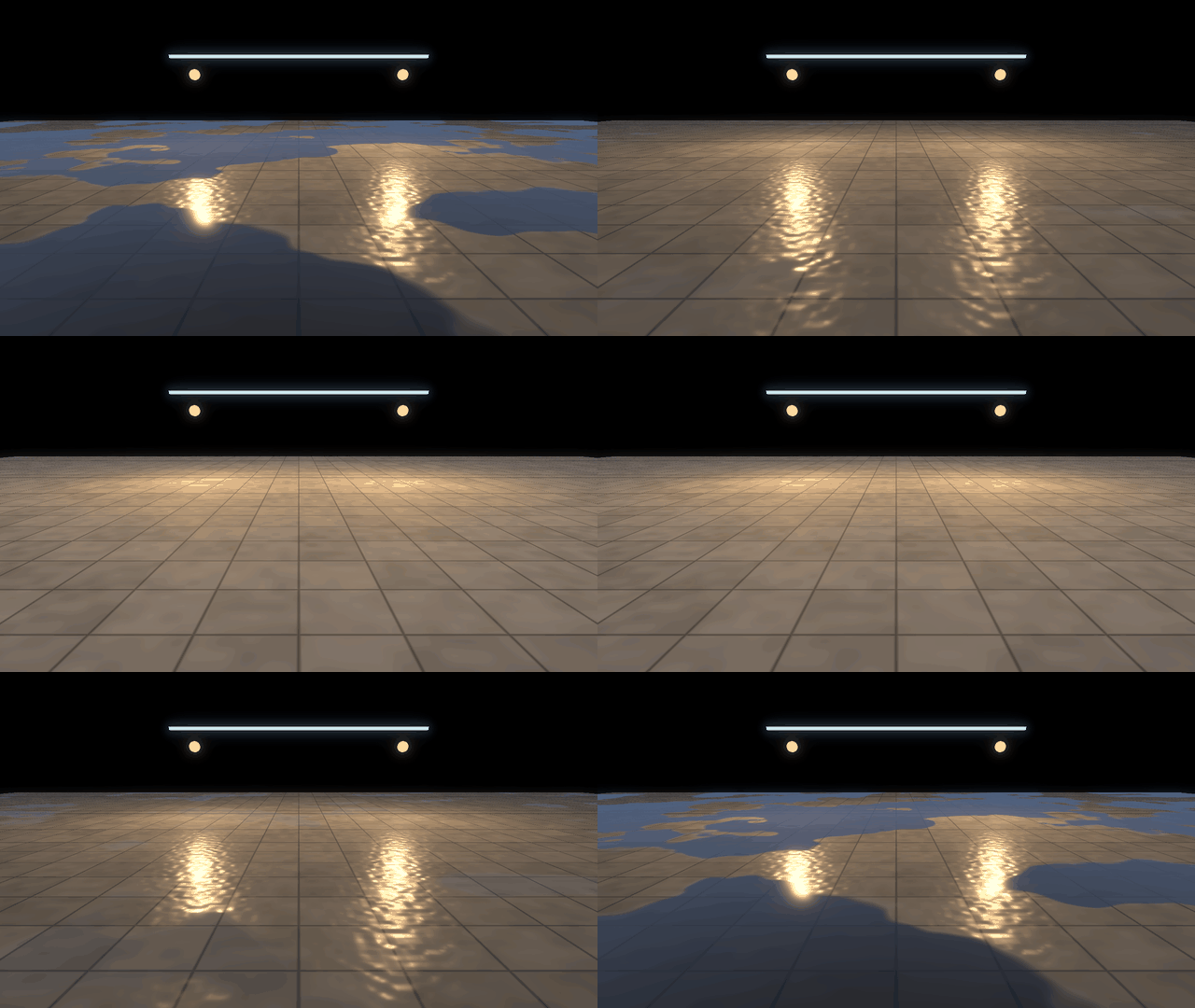
Wet Floor Shader with Puddles

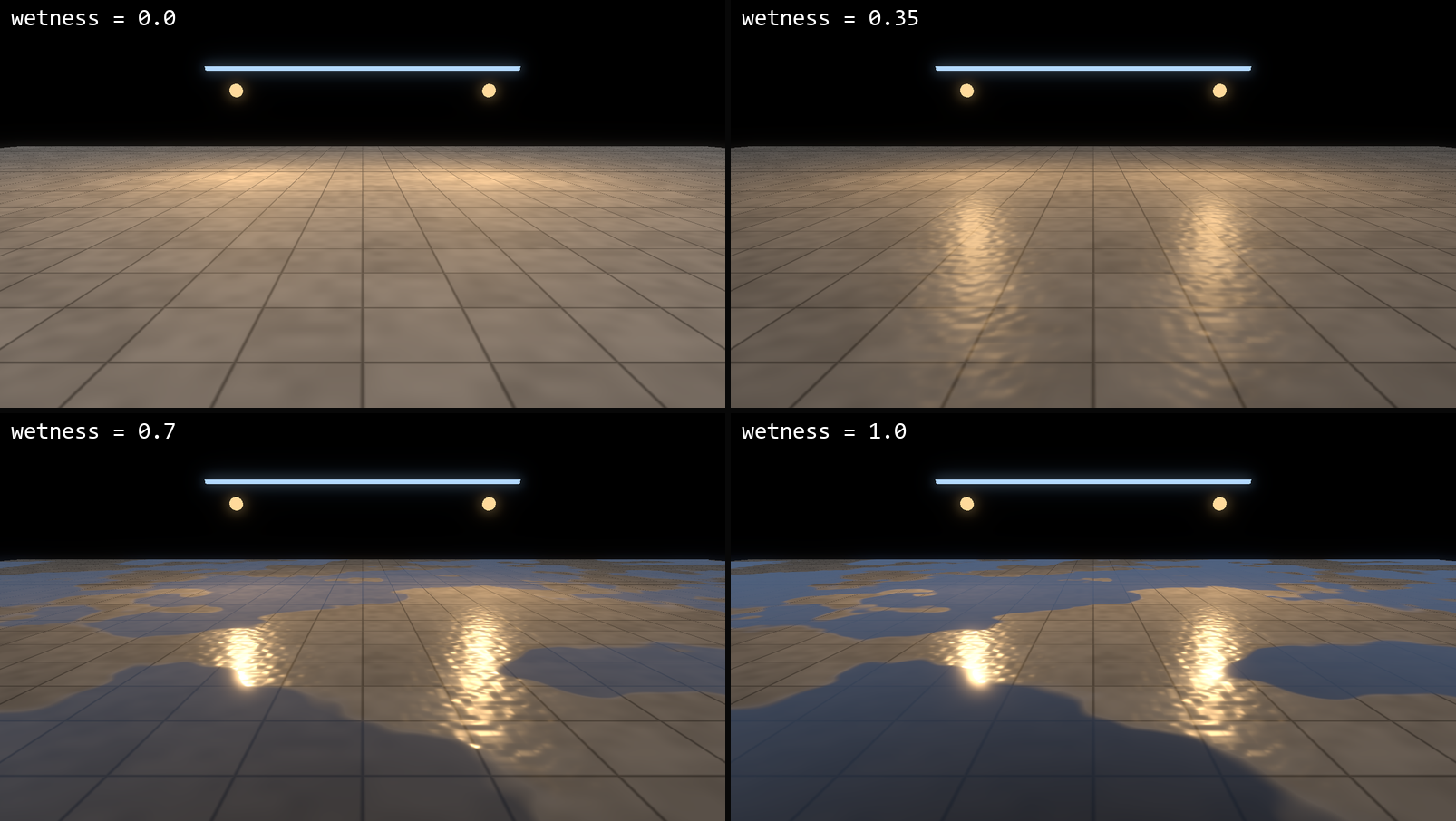
Makes a floor look wet. The surface gets darker and glossier and puddles show up where the noise is high. Animate wetness from 0 to 1 when the rain starts and back down when it dries.
Put it on the floor mesh under Geometry > Material Overlay, so the floor keeps its own material. The pattern is in world space, so neighbouring tiles line up. The floor has to face up. puddle_amount and puddle_scale set how many puddles you get and how big. At first the puddles just looked like black holes. Giving them a faint sky color at low angles is what fixed it.
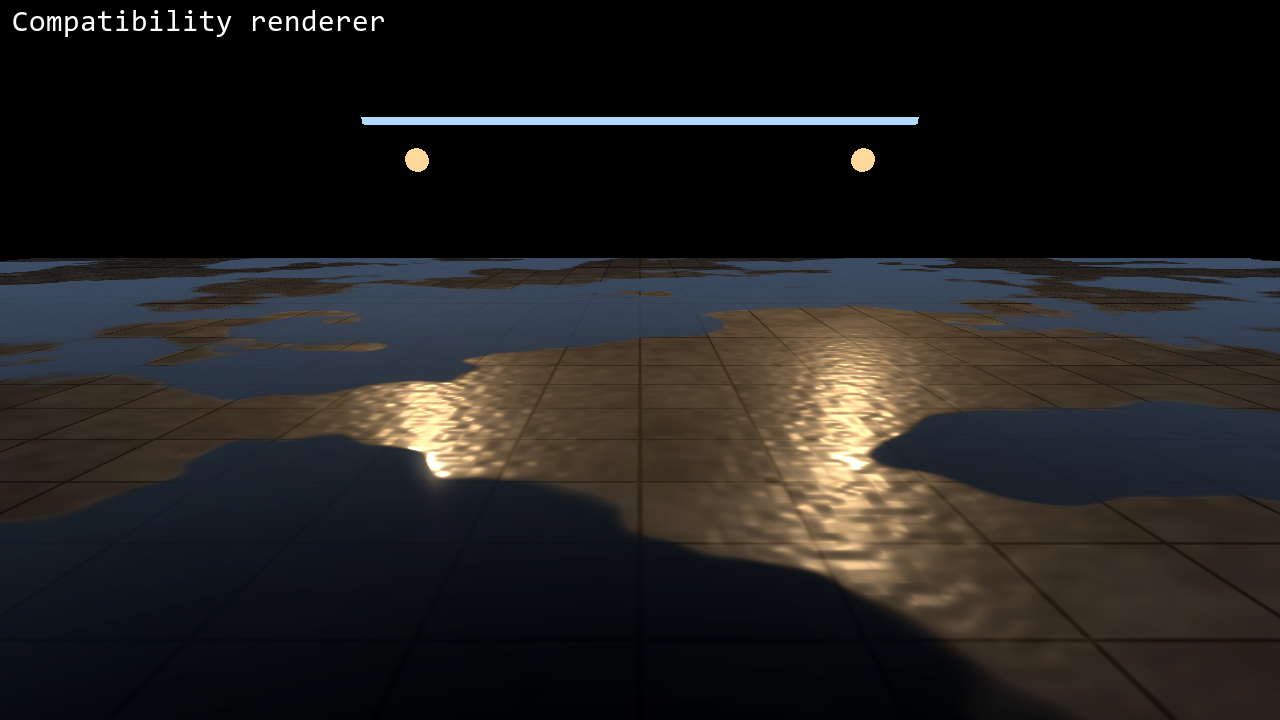
It works best on a dark floor with at least one strong light, since the reflections are what make it read as wet. No textures, and it looked the same on Forward+, Mobile and Compatibility in 4.4 and 4.7.
The code was written with the help of an AI coding assistant.
I wrote this as a small take on the wet surfaces in my Water & Splash VFX pack for Godot 4, which also has splashes and water spells. The free version is the first link and the full pack is the second.
https://gennai.itch.io/free-water-bolt-vfx-godot-4?utm_source=godotshaders&utm_medium=referral&utm_campaign=wetfloor
https://gennai.itch.io/water-splash-vfx-godot-4?utm_source=godotshaders&utm_medium=referral&utm_campaign=wetfloor
Shader code
// Wet Floor Overlay with Puddles for Godot 4
// MIT License. Copyright (c) 2026 gennai (https://gennai.itch.io)
//
// Makes a floor look wet: the whole surface gets darker and glossier, and puddles form
// where the noise is high. Put this on your floor mesh as Geometry > Material Overlay, so
// the floor keeps its own material underneath. The floor has to face up and be big enough
// for the puddles to show (the pattern is laid out in world space, so tiles line up).
//
// Animate wetness from 0 to 1 when it starts to rain, and back to 0 when it dries.
// Puddles get a mirror-like surface that reflects lights and the sky, the rest of the
// floor gets a darker, shinier film. Puddle edges are slightly rounded and noisy, like
// water settling in the low spots. Use a dark floor and at least one strong light to see
// the reflections best.
// No textures: the pattern is computed in the shader with sin-free hashes, so it looks
// the same on every renderer.
shader_type spatial;
render_mode blend_mix, depth_draw_never, cull_back, shadows_disabled;

group_uniforms wetness;
// 0 = dry, 1 = fully wet with puddles. Animate this when it rains.
uniform float wetness : hint_range(0.0, 1.0) = 1.0;
// How much of the floor is covered by puddles when it is fully wet.
uniform float puddle_amount : hint_range(0.0, 1.0) = 0.5;
// Size of the puddles. Higher = smaller puddles (in 1 / metres).
uniform float puddle_scale : hint_range(0.05, 2.0) = 0.35;
// How soft the puddle edge is.
uniform float edge_softness : hint_range(0.005, 0.3) = 0.06;
// Changes the puddle layout.
uniform float seed : hint_range(0.0, 100.0) = 0.0;

group_uniforms look;
// How much the dry parts of the floor darken when wet.
uniform float darken : hint_range(0.0, 1.0) = 0.45;
// Tint of the water in the puddles.
uniform vec4 water_color : source_color = vec4(0.03, 0.04, 0.05, 1.0);
// How shiny the wet floor is outside of puddles. 0 = as rough as dry.
uniform float film_gloss : hint_range(0.0, 1.0) = 0.7;
// Colour of the fake sky that the puddles reflect at a low viewing angle.
uniform vec4 sky_color : source_color = vec4(0.35, 0.45, 0.6, 1.0);
// Strength of that reflection. 0 = none.
uniform float sky_reflection : hint_range(0.0, 2.0) = 0.8;
// How strongly small ripples in the film bend the reflection.
uniform float film_bumps : hint_range(0.0, 1.0) = 0.35;

varying vec3 v_world;

float wf_hash(vec2 p) {
	vec3 p3 = fract(vec3(p.xyx) * 0.1031);
	p3 += dot(p3, p3.yzx + 33.33);
	return fract((p3.x + p3.y) * p3.z);
}

float wf_noise(vec2 p) {
	vec2 i = floor(p);
	vec2 f = fract(p);
	f = f * f * (3.0 - 2.0 * f);
	return mix(mix(wf_hash(i), wf_hash(i + vec2(1.0, 0.0)), f.x),
			mix(wf_hash(i + vec2(0.0, 1.0)), wf_hash(i + vec2(1.0, 1.0)), f.x), f.y);
}

float wf_fbm(vec2 p) {
	float s = 0.0;
	float a = 0.5;
	for (int o = 0; o < 4; o++) {
		s += wf_noise(p) * a;
		p = p * 2.03 + 11.7;
		a *= 0.5;
	}
	return s / 0.9375;
}

void vertex() {
	v_world = (MODEL_MATRIX * vec4(VERTEX, 1.0)).xyz;
	// Lifted a hair so the overlay never fights with the floor.
	VERTEX += NORMAL * 0.0015;
}

void fragment() {
	vec2 w = v_world.xz + seed * 13.0;
	float field = wf_fbm(w * puddle_scale);
	// puddle_amount decides how high the water level is in the noise field.
	float level = 1.0 - puddle_amount * 0.6 - 0.2;
	// The puddles grow with wetness.
	float lvl = mix(1.1, level, smoothstep(0.0, 0.8, wetness));
	float puddle = smoothstep(lvl, lvl + edge_softness, field);
	float film = smoothstep(0.0, 0.5, wetness);
	// Dry parts of the floor get a darker, shinier film.
	float a_film = film * darken;
	float a = max(a_film, puddle * smoothstep(0.1, 0.9, wetness) * 0.92);
	vec3 col = mix(vec3(0.0), water_color.rgb, puddle);
	ALBEDO = col;
	ALPHA = clamp(a, 0.0, 1.0);
	float rough_film = mix(0.8, 0.12, film_gloss * film);
	ROUGHNESS = mix(rough_film, 0.02, puddle);
	SPECULAR = mix(0.5 * film, 0.9, puddle);
	// Ripples in the film bend the reflection. Puddles stay flat.
	vec2 bw = w * 9.0;
	float e = 0.08;
	float c = wf_noise(bw);
	vec2 g = vec2(wf_noise(bw + vec2(e, 0.0)) - c, wf_noise(bw + vec2(0.0, e)) - c) / e;
	float amt = (1.0 - puddle) * film * film_bumps * 0.35;
	vec3 wn = normalize(vec3(-g.x * amt, 1.0, -g.y * amt));
	NORMAL = normalize((VIEW_MATRIX * vec4(wn, 0.0)).xyz);
	float fres = pow(1.0 - clamp(dot(NORMAL, VIEW), 0.0, 1.0), 3.0);
	EMISSION = sky_color.rgb * sky_reflection * fres * puddle * smoothstep(0.1, 0.9, wetness);
}
Live Preview

Comments 0
No comments yet.