Animated Vignette Fade Out

Add to a full color texture to make it fade out.
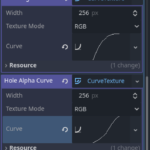
You have to also add the curve textures to the right spots, the included screenshot shows what they should generally look like. Then just save the whole material.
If anyone knows a better way to share the curves/convert it to code/image textures, I would love to hear it. Using curves just made finding *just* the right values far easier
Shader code
shader_type canvas_item;

uniform float trans_timer : hint_range(0.0, 1.0);

uniform sampler2D radius_curve;
uniform sampler2D hole_edge_gradient_curve;
uniform sampler2D hole_alpha_curve;
uniform sampler2D total_alpha_curve;

// for sampling curve textures
float sample(sampler2D curve, float val) {
	return texture(curve, vec2(val)).x;
}

void fragment() {
	// for testing it automated
	//float scaletime = TIME / 10.0;
	//float trans_timer = scaletime - float(int(scaletime));

	float outer_radius = sample(radius_curve, trans_timer) * 2.6 + 0.4;
	float hole_scalar = sample(hole_alpha_curve, trans_timer);
	float total_alpha = sample(total_alpha_curve, trans_timer);

	float x = abs(UV.r - 0.5) * 2.0;
	float y = abs(UV.g - 0.5) * 2.0;
	float hole = (1.0-sqrt(x*x+y*y) / outer_radius);

	if (hole > 0.0) {
		hole *= hole_scalar;
		hole = sample(hole_edge_gradient_curve, hole);
		COLOR.a *= (1.0-hole);
	}

	COLOR.a *= total_alpha;
}
Live Preview