
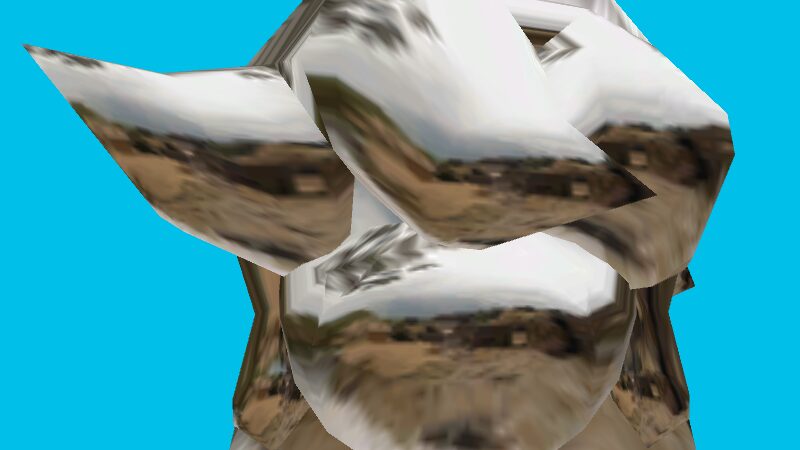
Camera-Stable Material-Capture Shader

Update 2: Rewritten orthonormal-basis calculation to not violate Blender’s GPL3 license.
I’ve replaced calculation with a completely different approach that uses Cross Product Method, Gram-Schmidt Process and Reference Vector Selection. Now it uses a fundamentally different mathematical approach but produces the same visual results as the original.
I’ve noticed alot of MATCAP shaders here on the site tend to shift the position of the texture alot when looking at the model from an extreme angle which is fine but i wanted something more stable, So i looked into Blender’s code to see how they handle the matcap shader, since their matcap shader looks very solid and view-stable.
I didnt want to create a vimeo acc or upload to my YT channel, so here’s a imgur link for a video demo
This Shader > Another MATCAP shader i found here on the site.
Shader code
shader_type spatial;
render_mode cull_disabled, unshaded;

uniform sampler2D matcap : source_color;
uniform bool flip_horizontal = false;

uniform vec2 uv_offset = vec2(0.0, 0.0);
uniform vec2 uv_scale = vec2(1.0, 1.0);

varying vec2 matcap_uv;

void vertex() {
    vec4 view_pos = MODELVIEW_MATRIX * vec4(VERTEX, 1.0);
    vec3 view_dir = normalize(-view_pos.xyz);
    vec3 view_normal = normalize((MODELVIEW_MATRIX * vec4(NORMAL, 0.0)).xyz);

    vec3 up_vector = vec3(0.0, 1.0, 0.0);
    vec3 right_vector = vec3(1.0, 0.0, 0.0);

    vec3 ref_vector = (abs(view_dir.y) > 0.9) ? right_vector : up_vector;

    vec3 tangent = normalize(cross(ref_vector, view_dir));
    vec3 bitangent = cross(view_dir, tangent);

    vec2 coords = vec2(
        dot(view_normal, tangent),
        dot(view_normal, bitangent)
    );

    coords.x = flip_horizontal ? -coords.x : coords.x;
    coords.y = -coords.y; // Flip Y coordinate

    matcap_uv = (coords * 0.496 + 0.5) * uv_scale + uv_offset;
}

void fragment() {
    vec4 matcap_color = texture(matcap, matcap_uv);
    ALBEDO = matcap_color.rgb;
}
thank the lord
awesome work