
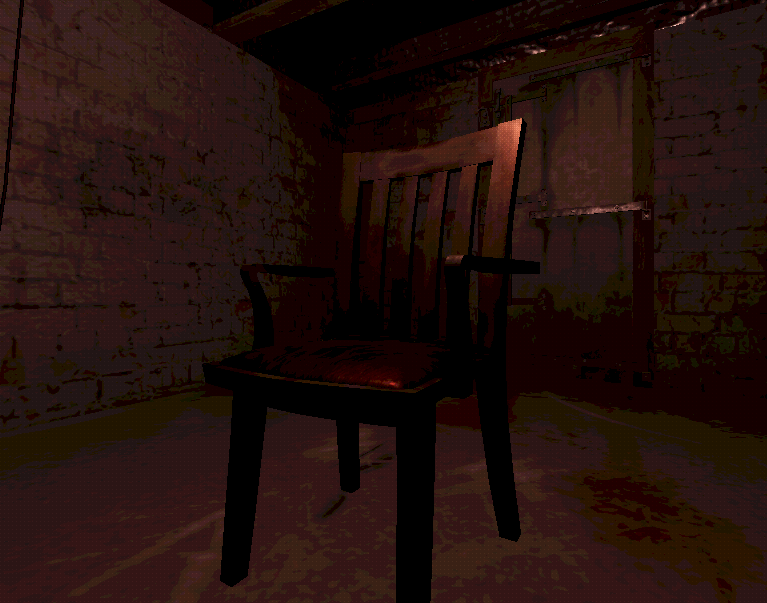
PS1 like shader – Godot 4.4.1

I didn’t write this shader. I think I found it on this page a year ago, but I can’t find it anymore. The other PS1 shaders I tried didn’t work for me. I found it in an old project and I’m reuploading it now so it’s available.
Shader code
shader_type spatial;

render_mode cull_disabled, unshaded;
uniform sampler2D depth_texture : source_color, hint_depth_texture;
uniform sampler2D screen_texture : source_color, hint_screen_texture, repeat_disable, filter_nearest;

uniform bool enable_fog = true;
uniform vec3 fog_color : source_color;
uniform vec3 noise_color : source_color;
uniform float fog_distance : hint_range(1, 6000) = 100;
uniform float fog_fade_range : hint_range(1, 6000) = 50;
uniform bool enable_noise = true;
uniform float noise_time_fac : hint_range(0.1, 10) = 4;
uniform bool enable_color_limitation = true;
uniform int color_levels : hint_range(2, 256) = 32;
uniform bool enable_dithering = true;
uniform float dither_strength : hint_range(0.0, 1.0) = 0.3;

float hashOld12(vec2 p){
	return fract(sin(dot(p, vec2(12.9898, 78.233))) * 43758.5453 + (sin((TIME)) / noise_time_fac)) ;
}

vec3 color_mix(vec3 a, vec3 b, float f ){
	f = clamp(abs(f), 0,1);
	float invf = 1.0 - f;
	return (a*f) + (b*invf);
}

vec3 quantize_color(vec3 color, int levels) {
    float quantizer = float(levels - 1);
    return floor(color * quantizer + 0.5) / quantizer;
}

float dither(vec2 position, float brightness) {
    int x = int(mod(position.x, 4.0));
    int y = int(mod(position.y, 4.0));
    int index = x + y * 4;
    float dithering[16] = float[](
        0.0, 0.5, 0.125, 0.625,
        0.75, 0.25, 0.875, 0.375,
        0.1875, 0.6875, 0.0625, 0.5625,
        0.9375, 0.4375, 1.0, 0.8125
    );
    float threshold = dithering[index];
    return brightness < threshold ? 0.0 : 1.0;
}

void vertex() {
  POSITION = vec4(VERTEX.xy, 1.0, 1.0);
}

void fragment(){
	vec3 screen_color = texture(screen_texture, SCREEN_UV).rgb;
	vec2 screen_coords = SCREEN_UV * 2.0 - 1.0;
	float depth = texture(depth_texture, SCREEN_UV).x;
	vec3 ndc = vec3(screen_coords, depth);

	vec4 view = INV_PROJECTION_MATRIX * vec4(ndc, 1.0);
	view.xyz /= view.w;

	float linear_depth = -view.z;

	float depth_mask_inv = clamp((linear_depth - (fog_distance - fog_fade_range)) / fog_fade_range, 0.0, 1.0);

	vec3 final_color = screen_color;

	if (enable_noise){
		vec3 twocolornoise = color_mix(fog_color, noise_color, hashOld12(screen_coords));
		final_color = color_mix(twocolornoise, final_color, depth_mask_inv);
	}
	if (enable_fog){
		final_color = color_mix(fog_color, final_color, depth_mask_inv);
	}
	if (enable_color_limitation){
		final_color = quantize_color(final_color, color_levels);
	}
	if (enable_dithering){
		float brightness = dot(final_color, vec3(0.3, 0.59, 0.11));
		brightness += dither_strength * (dither(FRAGCOORD.xy, brightness) - 0.5);
		final_color *= (1.0 + dither_strength * (dither(FRAGCOORD.xy, brightness) - 0.5));
	}
	ALBEDO = final_color;
}
Do you put this on a ColorRect?
As a Spatial shader this one needs to be applied to a 3D Object such as a MeshInstance.
Most likely use case here would be to apply this as a ShaderMaterial to a QuadMesh and place that mesh in front of the camera. You should also change the size of the QuadMesh to 2.0m x 2.0m to cover the entire viewport.
yes a colorrect works
What do you do with the sky issue? I used the shader, but it makes the sky black.
My bad, I didn’t see that the shader had parameters, but I do have a blue circle around it, as if it were my shadow, can that be changed?
This is a GOAT shader, the original is at https://godotshaders.com/shader/psx-style-camera-shader/