
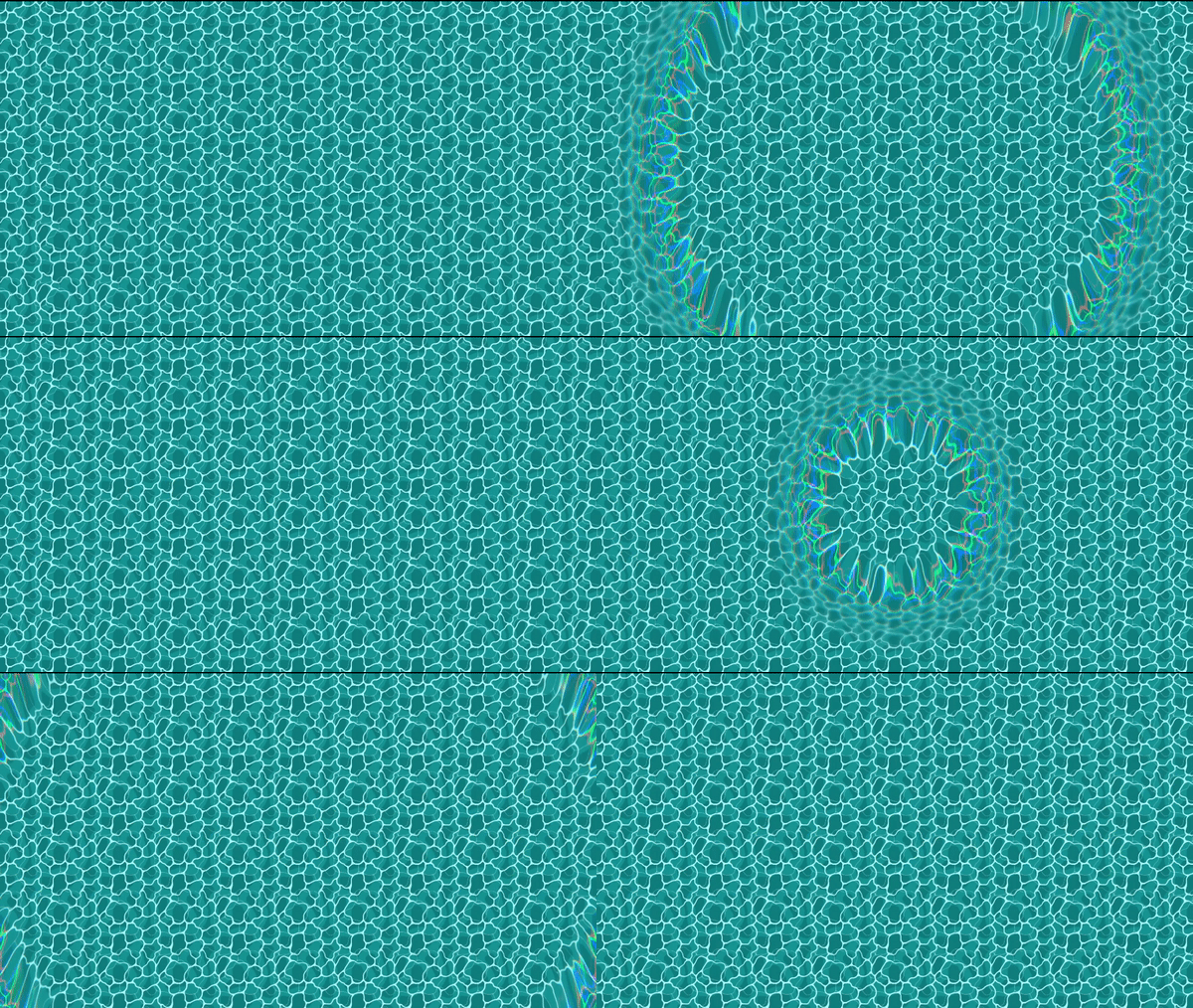
Distortion/Shockwave Shader

A basic distortion shader with chromatic abberation, with modular parameters.
# Edit – 4.1.1
0. Godot 4.1.1 update
1. Ok. First of all, it is a screen-space shader. If one wants to add this to specific node with texture, it has to be modified a bit. Like the screen-texture has to be changed to node-specific texture with sampler2d.
2. You can download the demo-project here. godot_shaders_distortion
3. You have to animate the radius and center parameters from outside. Add this shader to a color-rect above all nodes as a canvas layer. The center property is in range 0 to 1. So you have to normalise the position u want the distortion to originate from.
4. If any problem happens, comment here; I will try to response accordingly.
Peace!!!
Shader code
shader_type canvas_item;

uniform float strength: hint_range(0.0, 0.1, 0.001) = 0.08;
uniform vec2 center = vec2(0.5, 0.5);
uniform float radius: hint_range(0.0, 1.0, 0.001) = 0.25;


uniform float aberration: hint_range(0.0, 1.0, 0.001) = 0.425;
uniform float width: hint_range(0.0, 0.1, 0.0001) = 0.04;
uniform float feather: hint_range(0.0, 1.0, 0.001) = 0.135;

uniform sampler2D SCREEN_TEXTURE : hint_screen_texture, filter_linear_mipmap;

void fragment() {
	vec2 st = SCREEN_UV;
	float aspect_ratio = SCREEN_PIXEL_SIZE.y/SCREEN_PIXEL_SIZE.x;
	vec2 scaled_st = (st -vec2(0.0, 0.5)) / vec2(1.0, aspect_ratio) + vec2(0,0.5);
	vec2 dist_center = scaled_st - center;
	float mask =  (1.0 - smoothstep(radius-feather, radius, length(dist_center))) * smoothstep(radius - width - feather, radius-width , length(dist_center));
	vec2 offset = normalize(dist_center)*strength*mask;
	vec2 biased_st = scaled_st - offset;

	vec2 abber_vec = offset*aberration*mask;

	vec2 final_st = st*(1.0-mask) + biased_st*mask;

	vec4 red = texture(SCREEN_TEXTURE, final_st + abber_vec);
	vec4 blue = texture(SCREEN_TEXTURE, final_st - abber_vec);
	vec4 ori = texture(SCREEN_TEXTURE, final_st);
	COLOR = vec4(red.r, ori.g, blue.b, 1.0);
}
Comments 17
Pinned
How can I anchor the center of the shockwave to an specific node?
you can get the position of a node in screen space using camera3d.project position()
Looks great, but how do we use it ?
I guessed that we need to animate the radius, but I have an issue with the position. Everytime I move the camera, the effect change position?
https://godotshaders.com/shader/positioned-shockwave/
Not sure how this one works with camera movement, but it should work fine.
The above shader can be animated by tween-ing the "size" shader parameter.
Ex. tween.interpolate_property(shockwave.material, "shader_param/size", 0, 0.35, 0.25, Tween.TRANS_CUBIC, Tween.EASE_OUT)
This one really needs an example on how to use it :-(
no idea how to use this....it just makes my 2d texture disappear, and when I select "use parent material" there is no visible effect....
Thanks for this awesome shader. Works really great. 😄
In case anyone else runs into an issue of the center not where you expect. Like the description says (but wasn't initially clear to me), you need to scale the center but its not enough to just normalize them between 0 and 1. Basically just apply the same transformation that is done to scaled_st but to your center coordinate:
vec2 center_corr = (center -vec2(0.0, 0.5)) / vec2(1.0, aspect_ratio) + vec2(0,0.5);
Replace any use of center in the shader with this and it worked for me.
Thanks!
How should I interpret the AnimationTrackKeyEdit in the sample project?
As a homophobic who hates furries, I confirm this is really not understandable
how can i change to node-specific texture with sampler2d.
I don't know much of shaders but i changed it to this and it works in a node seprate from the screen. Here you are if anyone else wants the same thing:
shader_type canvas_item; uniform float strength: hint_range(0.0, 0.1, 0.001) = 0.08; uniform float radius: hint_range(0.0, 1.93, 0.001) = 0.25; uniform float aberration: hint_range(0.0, 1.0, 0.001) = 0.425; uniform float width: hint_range(0.0, 0.1, 0.0001) = 0.04; uniform float feather: hint_range(0.0, 1.0, 0.001) = 0.135; uniform sampler2D SCREEN_TEXTURE : hint_screen_texture, filter_linear_mipmap; void fragment() { vec2 center = -1.0 + 2.0 * UV / (1.0 / TEXTURE_PIXEL_SIZE); vec2 st = SCREEN_UV; float aspect_ratio = SCREEN_PIXEL_SIZE.y/SCREEN_PIXEL_SIZE.x; vec2 scaled_st = FRAGCOORD.xy / (1.0 / SCREEN_PIXEL_SIZE); vec2 dist_center = center; float mask = (1.0 - smoothstep(radius-feather, radius, length(dist_center))) * smoothstep(radius - width - feather, radius-width , length(dist_center)); vec2 offset = normalize(dist_center)*strength*mask; vec2 biased_st = scaled_st - offset; vec2 abber_vec = offset*aberration*mask; vec2 final_st = st*(1.0-mask) + biased_st*mask; vec4 red = texture(SCREEN_TEXTURE, final_st + abber_vec); vec4 blue = texture(SCREEN_TEXTURE, final_st - abber_vec); vec4 ori = texture(SCREEN_TEXTURE, final_st); COLOR = vec4(red.r, ori.g, blue.b, 1.0); }You are a legend, spent 3 hours trying to get a shader like this to work and this did the job :)
doesnt work it is black
Hi, I added a script to apply this effect to custom world position, modified the shader slightly, and also wrote a detailed tutorial on it. Hope someone will find my Distortion Shader tutorial helpful (the tutorial is based on this shader).
Implement a script for click detection to execute the effect (I've included it below). Try to make it as simple as possible.
extends ColorRect
var is_growing = false
const MAX_RADIUS = 01.0
const GROWTH_SPEED = 1.5


const SHADER_RADIUS = "radius"
const SHADER_CENTER = "center"
const SHADER_STRENGTH = "strength"


var shader_material


func _ready():
	if material and material is ShaderMaterial:
		shader_material = material
		shader_material.set_shader_parameter(SHADER_RADIUS, 0.0)
	else:
		print("no se encontro el shader .")
		set_process(false)


func _process(delta):
	if !shader_material:
		return


	if is_growing:
		var current_radius = shader_material.get_shader_parameter(SHADER_RADIUS)
		current_radius += GROWTH_SPEED * delta
		if current_radius >= MAX_RADIUS:
			current_radius = MAX_RADIUS
			is_growing = false

		shader_material.set_shader_parameter(SHADER_RADIUS, current_radius)


func _input(event):
	if !shader_material:
		return


	if event is InputEventMouseButton and event.button_index == MOUSE_BUTTON_LEFT and event.pressed:
		var local_mouse_pos = get_local_mouse_position()
		var size = get_rect().size
		var normalized_center = local_mouse_pos / size
		shader_material.set_shader_parameter(SHADER_CENTER, normalized_center)
		if is_growing:
			shader_material.set_shader_parameter(SHADER_RADIUS, 0.0)
			is_growing = false
		else:
			is_growing = true
			shader_material.set_shader_parameter(SHADER_RADIUS, 0.0)