
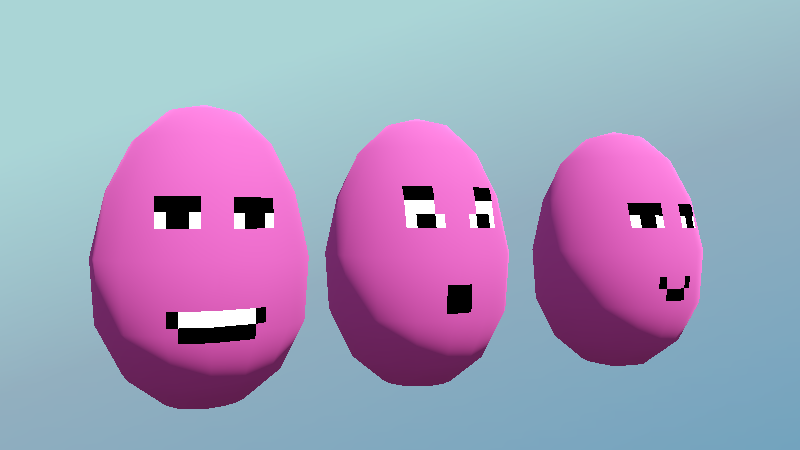
Face Swap Shader

Made for the sort of thing where you display a pixel-art face on a 3D model. It lets you set the current frame using an instance uniform.
You can change the current frame in code using somthing like:
mesh_instance_3d.set_instance_shader_parameter("frame", 2)Or you can animate the frame as a Property Track with an AnimationPlayer
Shader code
shader_type spatial;
// made for the sort of thing where you display a pixel-art face overtop of a 3D model


render_mode unshaded; // you can remove this if you do want shading

// extrude along normals slightly to
uniform float extrude_amount = 0.001;

// a collection of different faces you want to be able to swap between, in a grid
// If you make separate meshes for eyes and mouth you can mix and match
uniform sampler2D sprite_texture:source_color, repeat_disable, filter_nearest, hint_default_transparent;

// number of columns and rows the sprite texture will be divided into
uniform int columns = 4;
uniform int rows = 4;

// which frame in the sprite texture to show
instance uniform int frame = 0;

void vertex() {
	// converts UV assuming original would display the face nicely if it was a single image rather than a grid
	vec2 tilesize = vec2(1.0 / float(columns), 1.0 / float(rows));
	vec2 frame_offset = vec2(float(frame % columns), float(frame / columns));
	UV = (UV + frame_offset) * tilesize;
	// extrudes so you can avoid z-fighting even if you reused the same mesh
	VERTEX += NORMAL * extrude_amount;
}

void fragment() {
	vec4 sample = texture(sprite_texture, UV);
	ALBEDO = sample.rgb;
	ALPHA = sample.a;
	ALPHA_SCISSOR_THRESHOLD = 0.5;
}

cool this exists but fair warning be ready to modify your stuffs’ UV mapping because this shader does a bafflingly bad job at aligning images to their actual UVs and is always just slightly off for no apparent reason