
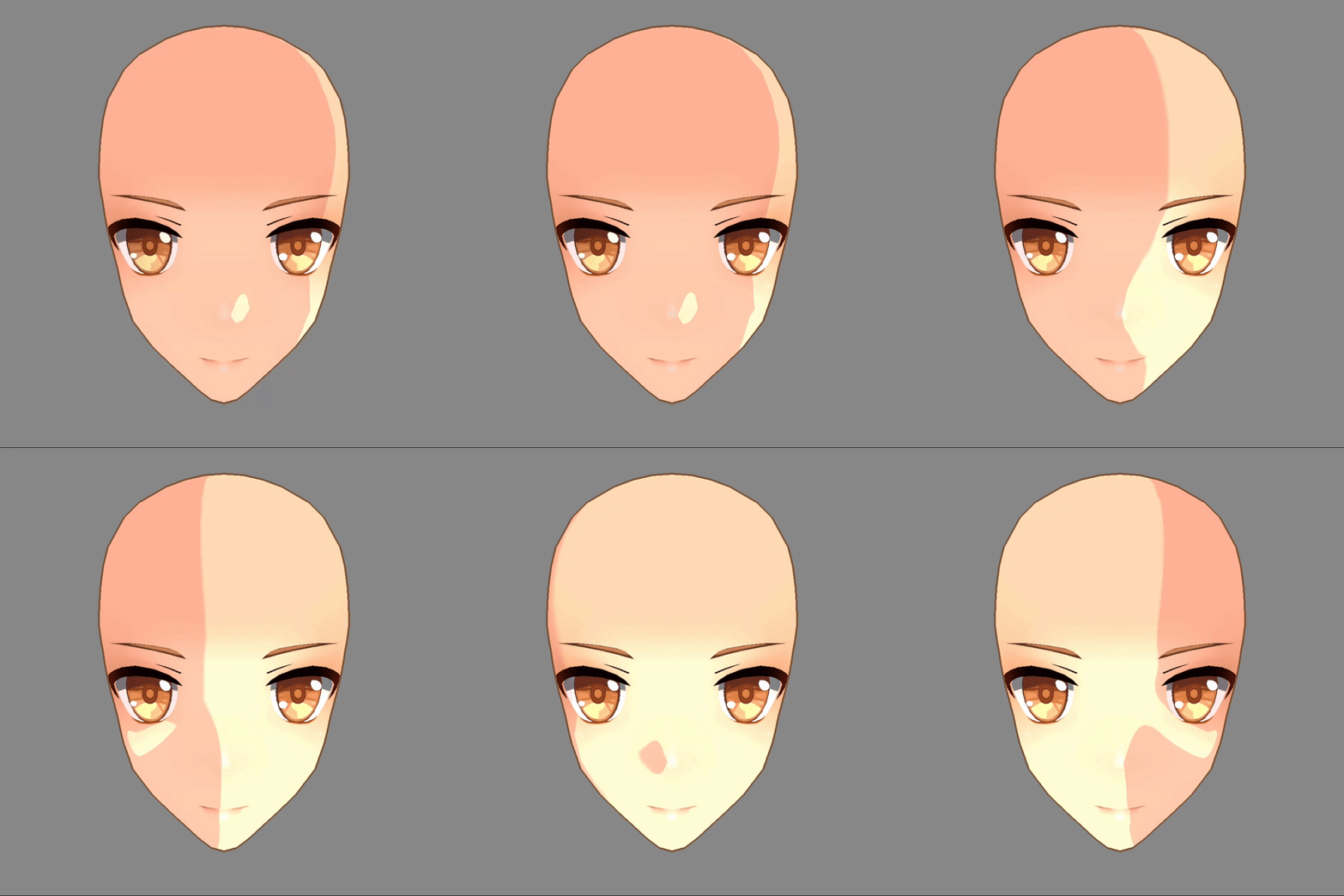
Anime-style face shader

It uses a simple shadow map texture to create the shadows on the face, no normal editing required. Get the project demo on github if you can’t set it up yourself here.
Requirements:
A shadow map texture (create it from scratch or match your face’s uv to the default shadow map from the github project)
A script file to pass necessary parameters to the shader (directional light, face forward, face right).
Shader code
shader_type spatial;
render_mode diffuse_toon, specular_toon;

uniform vec4 tint : source_color;
uniform vec4 fresnel_tint: source_color;

uniform vec3 head_forward = vec3(0.0,0.0,1.0);
uniform vec3 head_right = vec3(1.0,0.0,0.0);
uniform vec3 light_direction = vec3(0.0, -1.0, -0.0);

uniform sampler2D albedo_texture : source_color;
uniform sampler2D shadow_map_texture : source_color;
uniform vec4 shadow_color : source_color;

void fragment(){
	ALBEDO = texture(albedo_texture, UV).rgb * tint.rgb;
}

void light(){
	vec2 flipped_uv = vec2(1.0 - UV.x, UV.y);

	vec2 head_forwardRB = normalize(head_forward.rb);
	vec2 head_rightRB = normalize(head_right.rb);
	vec2 lightRB = normalize(light_direction.rb);

	float FdotL = dot(head_forwardRB,lightRB);
	float RdotL = dot(head_rightRB,lightRB);

	vec2 UVTOUSE = RdotL > 0.0 ? flipped_uv : UV;

	float angle = acos(RdotL);
	angle = angle / PI * 2.0;

	float angle1minus = 1.0 - angle;
	float angleminus1 = angle - 1.0;

	float ANGLETOUSE = RdotL > 0.0 ? angle1minus : angleminus1;

	// use this for no smoothing
	float stepFunc = step(ANGLETOUSE, texture(shadow_map_texture, UVTOUSE).b);

	float epsilon = 0.005;
	float smoothStepFunc = smoothstep(ANGLETOUSE - epsilon,
	ANGLETOUSE + epsilon,
	texture(shadow_map_texture, UVTOUSE).r);

	float resultForward = step(0.0,FdotL);

	vec3 shadowTexture = texture(albedo_texture, UV).rgb * shadow_color.rgb;
	vec3 shadowLerp = mix(texture(albedo_texture, UV).rgb, shadowTexture,1.0-smoothStepFunc);

	DIFFUSE_LIGHT = mix(shadowTexture, shadowLerp, resultForward);

}
Great work!
amazing