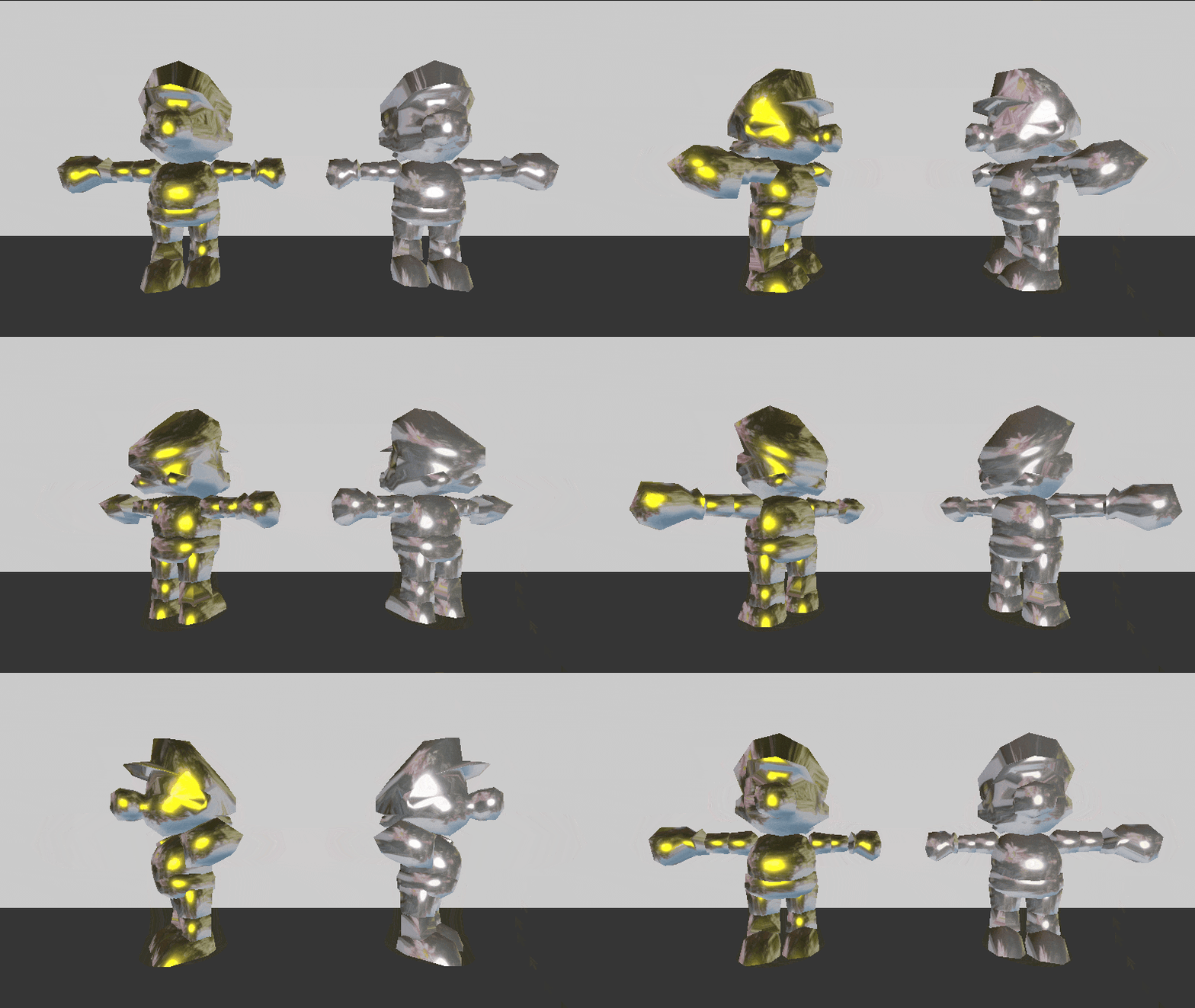
Metal Mario Shader (Gold/Silver with Custom Reflection)

This spatial shader creates a stylized metallic effect inspired by “Metal Mario”, allowing you to switch between gold and silver materials dynamically. It includes parameters for controlling the base metal color, roughness, and metallic intensity. A custom env_texture can be assigned to simulate a fake environment reflection based on the surface normal, which is blended into the final look using emission. The result is a cartoonish, shiny material ideal for collectible items, characters, or stylized props in 3D scenes.
Shader code
shader_type spatial;
render_mode specular_schlick_ggx;

uniform sampler2D env_texture;
uniform vec3 metal_color_gold = vec3(1.0, 0.843, 0.0);
uniform vec3 metal_color_silver = vec3(0.75, 0.75, 0.75);
uniform bool use_gold = true;
uniform float roughness : hint_range(0.0, 1.0) = 0.1;
uniform float metallic : hint_range(0.0, 1.0) = 1.0;

void fragment() {
    vec3 metal_color = use_gold ? metal_color_gold : metal_color_silver;
    ALBEDO = metal_color;
    METALLIC = metallic;
    ROUGHNESS = roughness;

    vec3 view_dir = normalize(-NORMAL);
    vec2 env_uv = vec2(0.5 + 0.5 * view_dir.x, 0.5 - 0.5 * view_dir.y);
    vec3 env_reflection = texture(env_texture, env_uv).rgb;

    EMISSION = env_reflection * 0.5;
}
Live Preview