
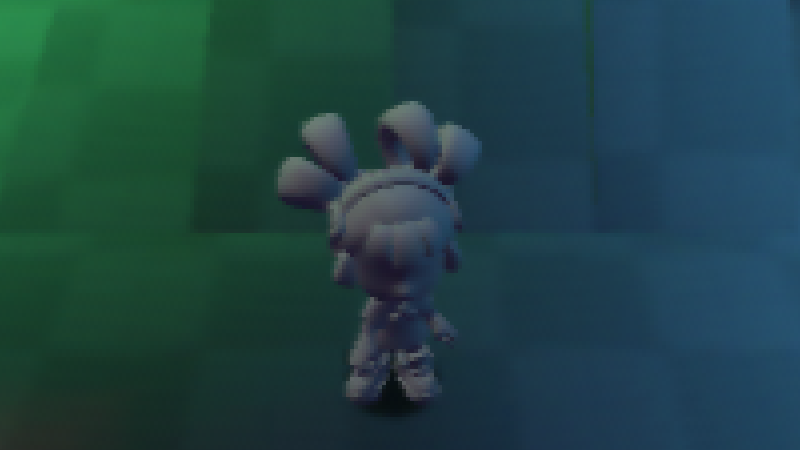
N64 RDP Dither + VI Post-Process Effect

This is a complete replacement of my “Purp’s N64 Soft/Blurry Post Process Effect“
That shader will be kept up because someone else may find it useful.
This shader attempts to replicate the distinctive visual characteristics of the Nintendo 64’s rendering pipeline. Specifically focusing on 4 key aspects of it.
- RDP: 5:5:5 RGB Color Quantization (15-bit Color)
- RDP: Dithering Patterns
- VI: ”Dither-Filter / Anti-Dither” Filter
- VI: Horizontal Blur
Shader written using angrylion-rdp-plus as a point of reference or other wise i had to do alooot of guess work, but even then this shader is NOT an 1:1 conversion of what the original RDP code does but more-so an approximation, i had help from some members from the N64Brew Discord Server on questions related on the final image is rendered on the N64.
This shader is to be used on ColorRect Node. Since canvas_item Shaders don’t support multi-pass you do need to use the BackBufferCopy Node. And another ColorRect inside the BackBufferCopy in order to properly use these shaders in a 2-Pass fashion. i did try implementing this as a single pass shader but results were wrong or too innacurate, i personally rate this shader 95% accurate. At first glance it should be indistinguishable from a screenshot taken from Ares (currently has the most accurate N64 emulator)
RDP: Dither + Color Quantization:
shader_type canvas_item;

/** 0 = Magic Matrix
 *  1 = Bayer Matrix
 *  2 = Random Threshold Dither
 */
uniform int dither_mode : hint_range(0, 2) = 0;
uniform bool enable_dither = true;
/** The random dither pattern can be animated over time
 *  or frozen if preferred
 */
uniform bool random_dither_animate = true;

uniform sampler2D SCREEN_TEXTURE : hint_screen_texture, repeat_disable, filter_nearest;

const vec4 magic_matrix[4] = vec4[](
    vec4(0.0, 0.857, 0.143, 1.0),
    vec4(0.571, 0.286, 0.714, 0.429),
    vec4(0.429, 0.714, 0.286, 0.571),
    vec4(1.0, 0.143, 0.857, 0.0)
);

const vec4 bayer_matrix[4] = vec4[](
    vec4(0.0, 0.571, 0.143, 0.714),
    vec4(0.571, 0.0, 0.714, 0.143),
    vec4(0.429, 1.0, 0.286, 0.857),
    vec4(1.0, 0.429, 0.857, 0.286)
);

vec3 random_noise_vec3(vec2 pos) {
    float time_offset = random_dither_animate ? TIME : 0.0;
    return vec3(
        fract(sin(dot(pos, vec2(12.9898, 78.233)) + time_offset * 1.0) * 43758.5453),
        fract(sin(dot(pos, vec2(4.898, 63.233)) + time_offset * 1.2) * 23421.3453),
        fract(sin(dot(pos, vec2(9.298, 28.233)) + time_offset * 1.4) * 54325.5453)
    );
}

vec3 apply_dithering(vec3 color, vec2 screen_pos) {
    const float PALETTE_STEP = 8.0 / 255.0;
    vec3 color_scaled = color * 255.0;

    if (dither_mode == 2) {
        vec3 threshold = random_noise_vec3(screen_pos);
        vec3 error = fract(color_scaled / 8.0);
        return color + step(threshold, error) * PALETTE_STEP;
    }
    else {
        float threshold = (dither_mode == 0) ?
            magic_matrix[int(mod(screen_pos.y, 4.0))][int(mod(screen_pos.x, 4.0))] :
            bayer_matrix[int(mod(screen_pos.y, 4.0))][int(mod(screen_pos.x, 4.0))];
        vec3 quantized = floor(color_scaled / 8.0) * 8.0;
        vec3 can_dither = step(quantized, vec3(247.0)) * step(vec3(1.0), color_scaled);
        return color + (step(threshold, fract(color_scaled / 8.0)) * PALETTE_STEP * can_dither);
    }
}

void fragment() {
    vec3 color = texture(SCREEN_TEXTURE, SCREEN_UV).rgb;
    if (enable_dither) {
        color = apply_dithering(color, FRAGCOORD.xy);
    }
    color = clamp(color, 0.0, 248.0 / 255.0);
    COLOR = vec4(floor(color * 255.0 / 8.0) * (8.0/255.0), 1.0);
}
VI: ”Dither-Filter / Anti-Dither” Filter + Horizontal Blur:
Shader code
shader_type canvas_item;

uniform sampler2D screen_texture : hint_screen_texture, repeat_disable, filter_nearest;
uniform bool enable_dither_filter = true;
uniform bool enable_horizontal_blur = true;

const vec3 LUMINANCE_VECTOR = vec3(0.299, 0.587, 0.114);
const float QUANTIZATION_FACTOR = 32.0;
const float COLOR_SCALE = 255.0;
const float INV_COLOR_SCALE = 1.0 / 255.0;
const float BLUR_MIX = 0.65;
const float BRIGHTNESS_FALLOFF = 0.5;
const float BRIGHTEN_FACTOR = 0.4;

ivec3 quantize_color(vec3 color) {
    return ivec3(clamp(color * QUANTIZATION_FACTOR - 0.0001, 0.0, 31.0));
}

vec3 get_restore_adjustment(ivec3 center_quantized, vec3 neighbor_color) {
    return vec3(sign(quantize_color(neighbor_color) - center_quantized));
}

vec3 restore_filter(vec2 uv, vec2 pixel_size) {
    vec3 center = texture(screen_texture, uv).rgb;
    if (!enable_dither_filter) {
        return center;
    }

    vec2 offsets[8];
    offsets[0] = uv + vec2(-pixel_size.x, -pixel_size.y);
    offsets[1] = uv + vec2( 0.0,         -pixel_size.y);
    offsets[2] = uv + vec2( pixel_size.x, -pixel_size.y);
    offsets[3] = uv + vec2(-pixel_size.x,  0.0);
    offsets[4] = uv + vec2( pixel_size.x,  0.0);
    offsets[5] = uv + vec2(-pixel_size.x,  pixel_size.y);
    offsets[6] = uv + vec2( 0.0,          pixel_size.y);
    offsets[7] = uv + vec2( pixel_size.x,  pixel_size.y);

    ivec3 center_quantized = quantize_color(center);
    vec3 total_adjustment = vec3(0.0);

    total_adjustment += get_restore_adjustment(center_quantized, texture(screen_texture, offsets[0]).rgb);
    total_adjustment += get_restore_adjustment(center_quantized, texture(screen_texture, offsets[1]).rgb);
    total_adjustment += get_restore_adjustment(center_quantized, texture(screen_texture, offsets[2]).rgb);
    total_adjustment += get_restore_adjustment(center_quantized, texture(screen_texture, offsets[3]).rgb);
    total_adjustment += get_restore_adjustment(center_quantized, texture(screen_texture, offsets[4]).rgb);
    total_adjustment += get_restore_adjustment(center_quantized, texture(screen_texture, offsets[5]).rgb);
    total_adjustment += get_restore_adjustment(center_quantized, texture(screen_texture, offsets[6]).rgb);
    total_adjustment += get_restore_adjustment(center_quantized, texture(screen_texture, offsets[7]).rgb);

    return (center * COLOR_SCALE + total_adjustment) * INV_COLOR_SCALE;
}

vec3 apply_horizontal_blur(vec3 base_color, vec2 uv, vec2 pixel_size) {
    if (!enable_horizontal_blur) {
        return base_color;
    }

    vec2 right_uv = uv + vec2(pixel_size.x, 0.0);
    vec3 right_color = restore_filter(right_uv, pixel_size);

    float base_lum = dot(base_color, LUMINANCE_VECTOR);
    float right_lum = dot(right_color, LUMINANCE_VECTOR);

    if (base_lum < right_lum) {
        vec3 blur_target = mix(base_color, right_color, BLUR_MIX);
        vec3 brighten = max(blur_target - base_color, vec3(0.0));
        return base_color + brighten * BRIGHTEN_FACTOR; // Stronger brightening
    } else {
        vec3 dark_smear = mix(base_color, right_color, BLUR_MIX);
        return mix(dark_smear, base_color, BRIGHTNESS_FALLOFF);
    }
}

void fragment() {
    vec2 pixel_size = 1.0 / vec2(textureSize(screen_texture, 0));

    vec3 restored_color = restore_filter(SCREEN_UV, pixel_size);
    vec3 final_color = apply_horizontal_blur(restored_color, SCREEN_UV, pixel_size);

    COLOR = vec4(final_color, 1.0);
}
Live Preview
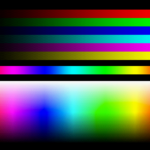
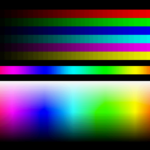
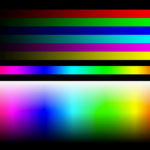

I don’t get any compilation errors, but it doesn’t seem to change how the game looks at all. Could you please clarify the setup?
I applied it to ColorRects with and without a CanvasLayer in my player node, changed the order, added different nodes into a BackBufferCopy, but nothing works.
its an extremely subtle effect but you can test if it is working by modifying “pixel_size” in the horizontal blur shader and multiplying it by 10.0 or so. It should show an offset ghost image. The dithering is also very subtle. I’m wondering if there are other things going on to achieve the image that OP posted.