
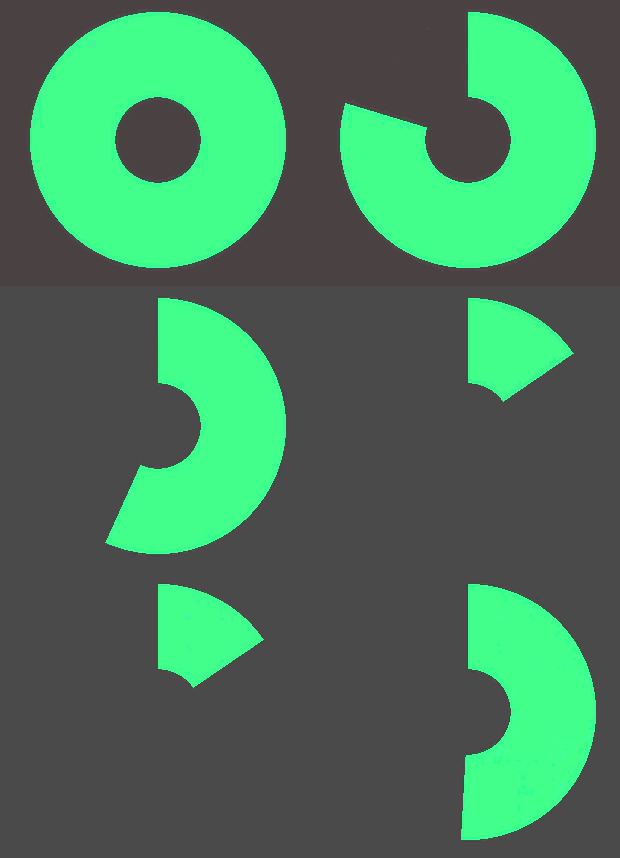
Simple Radial Progress Bar

A progress bar that is a circle.
Shader code
shader_type canvas_item;

uniform vec3 base_color : source_color = vec3(0.0, 1.0, 0.0);
uniform float outer_bound : hint_range(0.0, 0.5, 0.05) = 0.4;
uniform float inner_bound : hint_range(0.0, 0.4, 0.05) = 0.3;
//uniform float fill_direction : hint_range(-1.0, 1.0, 2.0) = 1.0;
// godot shaders live preview can't comprehend hint_range(-1.0, 1.0, 2.0) so just manually set it to either 1.0 or -1.0
// uncomment the correct line and erase the next line if you intend to use it
uniform float fill_direction = 1.0;

uniform float progress : hint_range(0.0, 1.0) = 1.0;

void fragment() {
	float outer_bound_alpha = 1.0 - step(outer_bound, distance(vec2(0.5), UV));
	float inner_bound_alpha = step(inner_bound, distance(vec2(0.5), UV));

	vec2 uv = UV - vec2(0.5);
	float radial_position = atan(uv.x, uv.y) * fill_direction;
	// normalize the radial position to [0, 1] range and compare it to the progress
	radial_position = step((radial_position + PI) / (2.0 * PI), progress);

	COLOR.a = min(inner_bound_alpha, min(outer_bound_alpha, radial_position));
	COLOR.rgb = base_color;
}