Fill Liquid Volume

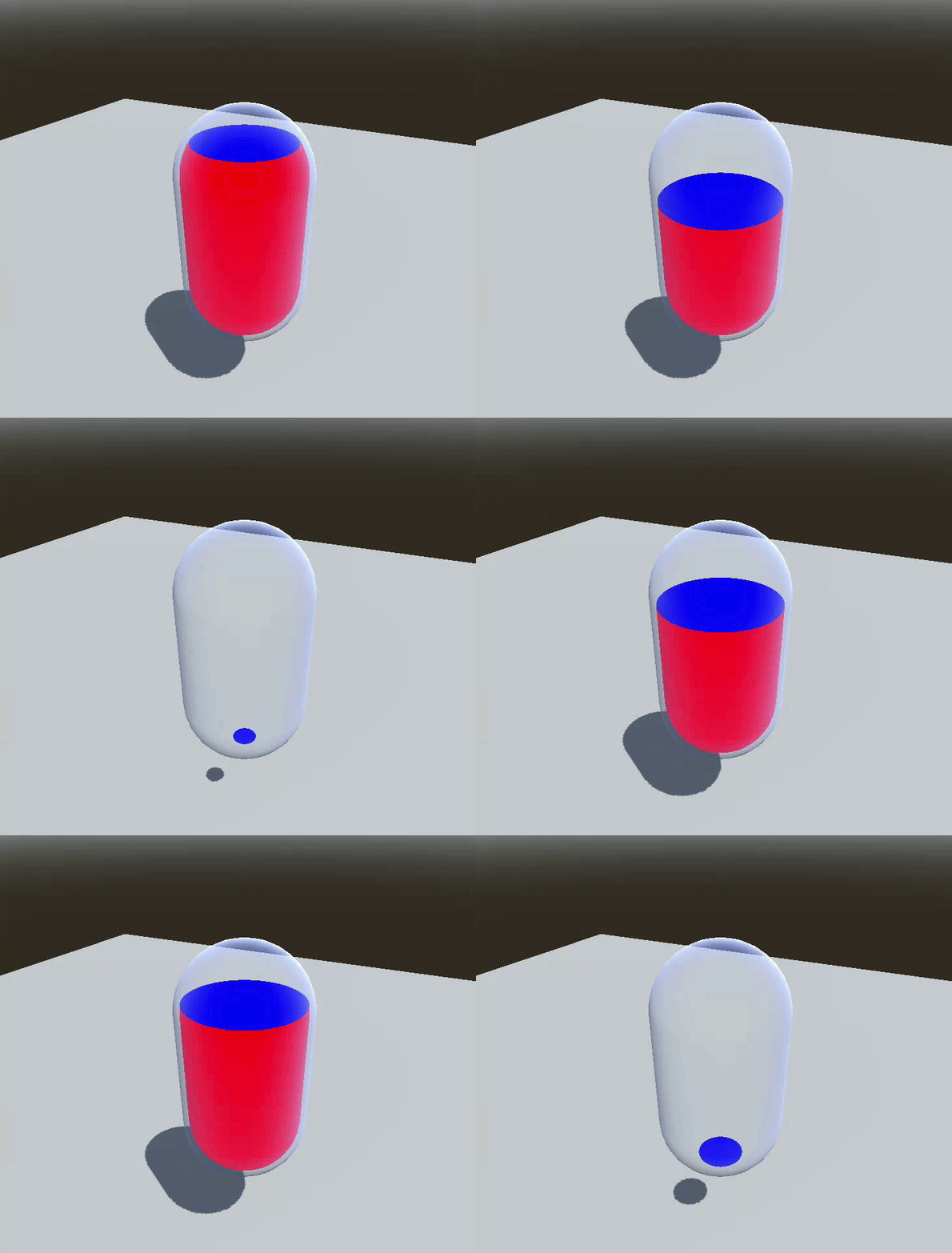
Simple fill liquid shader, you can elaborate on it.
Shader code
shader_type spatial;
render_mode cull_disabled, unshaded;

/** Color of the liquid */
uniform vec3 _FillColor : source_color = vec3(1., 0., 0.);
/** Color of the liquid surface */
uniform vec3 _SurfaceColor : source_color = vec3(0., 0., 1.);
uniform float _FillLevel : hint_range(-1., 1., 0.05) = 0.;
/** Maximum vertical height */
uniform float _MaxHeight = 2.;
/** Angle for the Z axis */
uniform float _AngleZ : hint_range(-1., 1., 0.05) = 0.;
/** Angle for the X axis */
uniform float _AngleX : hint_range(-1., 1., 0.05) = 0.;

void fragment(){
	float c_z = cos(_AngleZ);
	float s_z = sin(_AngleZ);
	float c_x = cos(_AngleX);
	float s_x = sin(_AngleX);
	mat3 rot_z = mat3(vec3(c_z, s_z, 0.), vec3(-s_z, c_z, 0.), vec3(0., 0., 1.));
	mat3 rot_x = mat3(vec3(1., 0., 0.), vec3(0, c_x, s_x), vec3(0., -s_x, c_x));
	vec3 ws_pos = (INV_VIEW_MATRIX * vec4(VERTEX, 1.)).xyz;
	ws_pos = rot_x * rot_z * (ws_pos - NODE_POSITION_WORLD);

	// You can add surface liquid movement here
	bool empty_zone = _FillLevel * _MaxHeight / 2. < ws_pos.y;// + cos((TIME - UV.x)  * TAU / 4.) ;
	//ALBEDO = vec3(float(empty_zone));

	if (empty_zone){
		// You can use FRONT_FACING here to fake glass maybe
		ALPHA = 0.5;
	}else{
		ALBEDO = _FillColor;
		// Fake surface liquid here (need to be unshaded)
		if (!FRONT_FACING) ALBEDO = _SurfaceColor;
	}
	ALPHA_SCISSOR_THRESHOLD = 1.;
}
Live Preview