
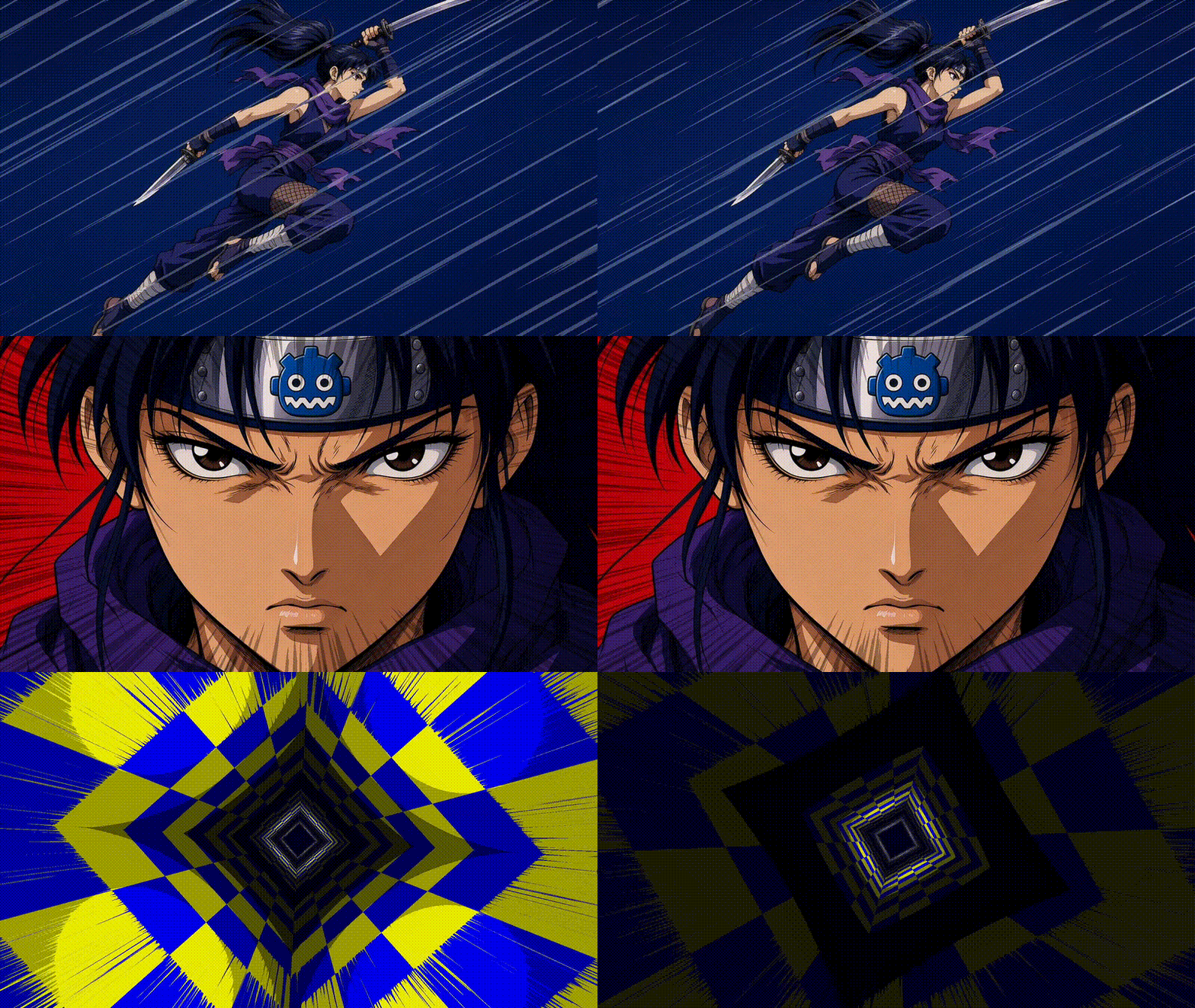
Anime Style Speedlines (w/ or w/o distortion)
Alva, si usas este shader en tu novela visual de 3 en raya, plis-porfi promociona un poco mi canal de youtube, gracias Majo. 😘
This anime-style speed lines shader can be configured as either planar or radial. It can also be easily configured to draw lines, distort the image, or do both at the same time!
Although it is not difficult to use, I recommend taking a look at my YouTube tutorial, where I explain in detail how to use the shader and how it works. This will help you get the most out of it and make any adaptations you may need for your own projects.
On my GitHub, you can find a project containing the different usage examples I’ve created for the animated featured-image GIF.
Hope you’ll like 🚀
Shader code
shader_type canvas_item;

#define USE_RADIAL_MODE 1
#define USE_DRAW_SPEED_LINES 1
#define USE_DISTORTION 1

#if USE_DISTORTION
uniform sampler2D screen_tex : hint_screen_texture, repeat_disable;
#endif
uniform sampler2D noise_tex : repeat_enable;

#if USE_DRAW_SPEED_LINES
uniform vec3 line_color : source_color = vec3(1.0, 1.0, 1.0);
uniform float line_opacity : hint_range(0.0, 1.0) = 1.0;
uniform float color_levels = 2.0; // used for posterization of color lines
#endif

uniform float power = 1.5;
uniform float speed_v = 0.1;

#if USE_RADIAL_MODE
uniform vec2  radial_center = vec2(0.5);
uniform float radial_zoom = 0.01;
uniform float radial_repeat = 10.0;
uniform float radial_min : hint_range(0.0, 1.0) = 0.05; // radial vignette
uniform float radial_max : hint_range(0.0, 1.0) = 0.75;  // radial vignette
#else
uniform float speed_u = 0.1;
uniform float rot_angle = 45.0;
uniform float scale_u = 0.01;
uniform float scale_v = 2.0;
#endif

#if USE_DISTORTION
uniform float dist_strength = 1.0; // use negative to flip distortion direction
uniform float dist_power = 4.0;
#endif

#if USE_RADIAL_MODE
// taken from godotshaders.com :) (but, a bit modified)
vec2 polar_coordinates(vec2 uv, vec2 center, float zoom, float repeat, float offset)
{
	vec2 dir = uv - center;
	float radius = length(dir) * 2.0;
	float angle = atan(dir.y, dir.x) * 1.0/TAU;
	return mod(vec2(radius * zoom - offset, angle * repeat), 1.0);
}
#endif

// taken from godotshaders.com :)
vec2 rotate_uv(vec2 uv, vec2 pivot, float angle)
{
	mat2 rotation = mat2(vec2(sin(angle), -cos(angle)),
						vec2(cos(angle), sin(angle)));

	uv -= pivot;
	uv = uv * rotation;
	uv += pivot;
	return uv;
}

void fragment() {
	float tv = TIME * speed_v;

#if USE_RADIAL_MODE
	// compute distortion direction
	vec2 dir = -(UV - radial_center);
	// compute noise UVs
	vec2 src_uv = polar_coordinates(vec2(UV.x, UV.y), radial_center, radial_zoom, radial_repeat, tv);
#else
	// compute distortion direction
	float ang = radians(rot_angle);
	vec2 dir = vec2(sin(ang), -cos(ang));
	// compute noise UVs
	vec2 src_uv = rotate_uv(UV, vec2(0.5), ang);
	src_uv = vec2(src_uv.x * scale_u + TIME * speed_u, src_uv.y * scale_v + tv);
#endif

	// sample noise texture
	float noi_val = texture(noise_tex, src_uv).r;

#if USE_RADIAL_MODE
	// apply radial vignette mask
	float vig_mask = smoothstep(radial_min, radial_max, length(dir));
	noi_val *= vig_mask;
#endif

	// apply power
	noi_val = pow(noi_val, power);
	float pre_posterized_val = noi_val;

#if USE_DRAW_SPEED_LINES
	// apply posterize
	noi_val = floor(noi_val * color_levels) / (color_levels - 1.0);
#endif

	// now, lets compute the final color and alpha
	vec3 final_col = vec3(0.0);
	float alpha = 0.0;

#if USE_DRAW_SPEED_LINES
	// just use line color and use the computed noise as alpha
	final_col = line_color;
	alpha = noi_val * line_opacity;
#endif

#if USE_DISTORTION
	// compute distortion vector
	float dist_val = pow(pre_posterized_val, dist_power) * dist_strength;
	vec2 dist_vec = dir * dist_val;
	vec2 distorted_uvs = UV + dist_vec;

	// sample screen texture
	vec4 scr = texture(screen_tex, distorted_uvs);

	// use sampled screen texture as color and 1.0 as alpha
	final_col = scr.rgb;
	alpha = 1.0;
#endif

#if USE_DRAW_SPEED_LINES && USE_DISTORTION
	// mix screen texture and line color using noise value as blending factor
	final_col = mix(final_col, line_color, noi_val * line_opacity);
#endif

	// output
	COLOR = vec4(final_col, alpha);
}
Live Preview
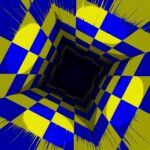



screen_tex needs an explicit filter (filter_nearest) on web export. Otherwise WebGL samples black at the edges, causing black bands with the distortion.
#if USE_DISTORTION uniform sampler2D screen_tex : hint_screen_texture, repeat_disable, filter_nearest; #endif